
Describe the sound.
Coda finds it.
All your samples, instruments, and patches in one smart library. Find the exact sound you're hearing in seconds, and stay in the flow instead of digging through folders.
Free download · 14-day trial · no card required
Works with any DAW
Built around how you actually work.
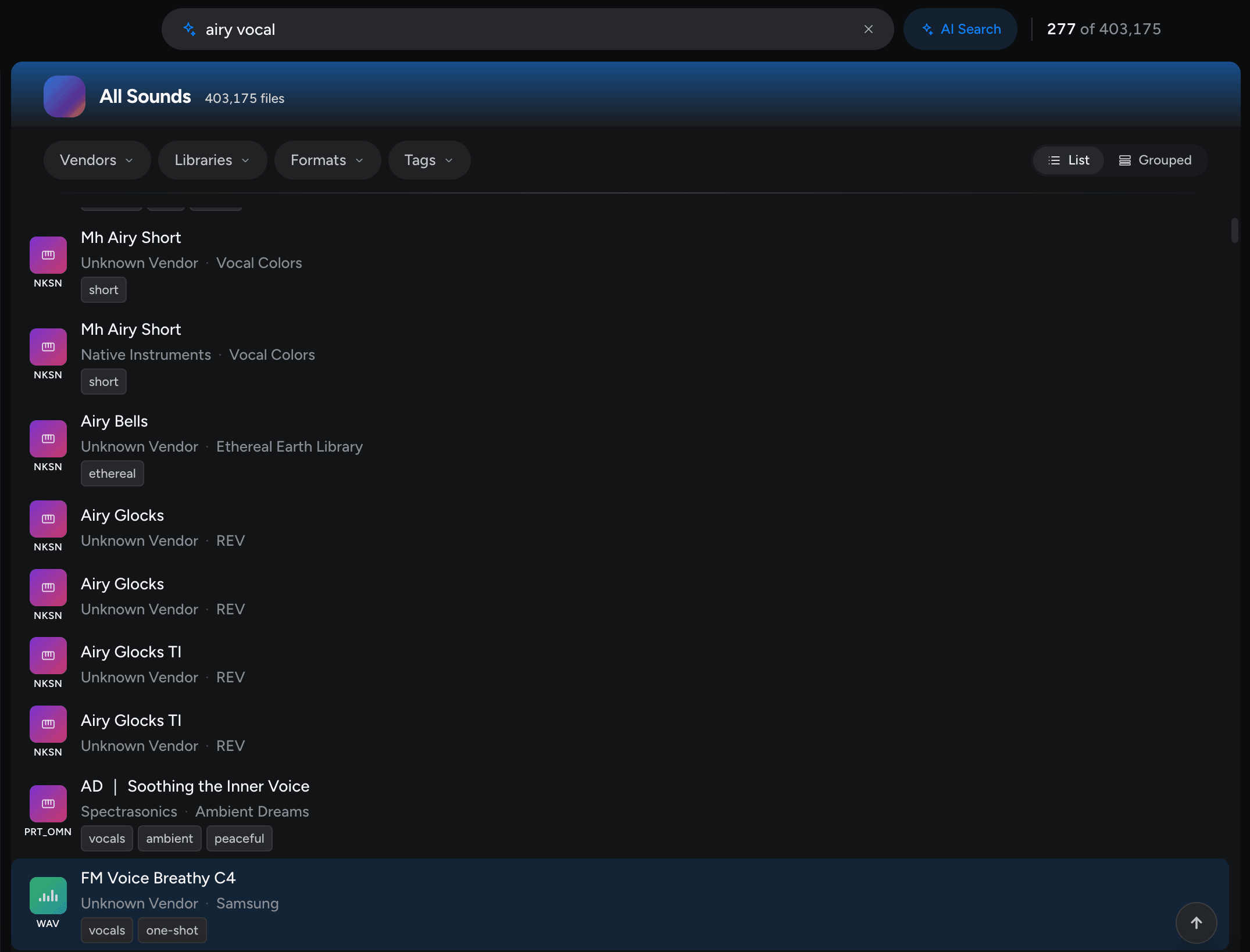
Search by vibe, not by filename.
Type "warm analog bass," "lush legato strings," or "airy vocal chop" and Coda gets what you mean. It surfaces matches across your samples, instruments, and patches, not just files that happen to share a name.
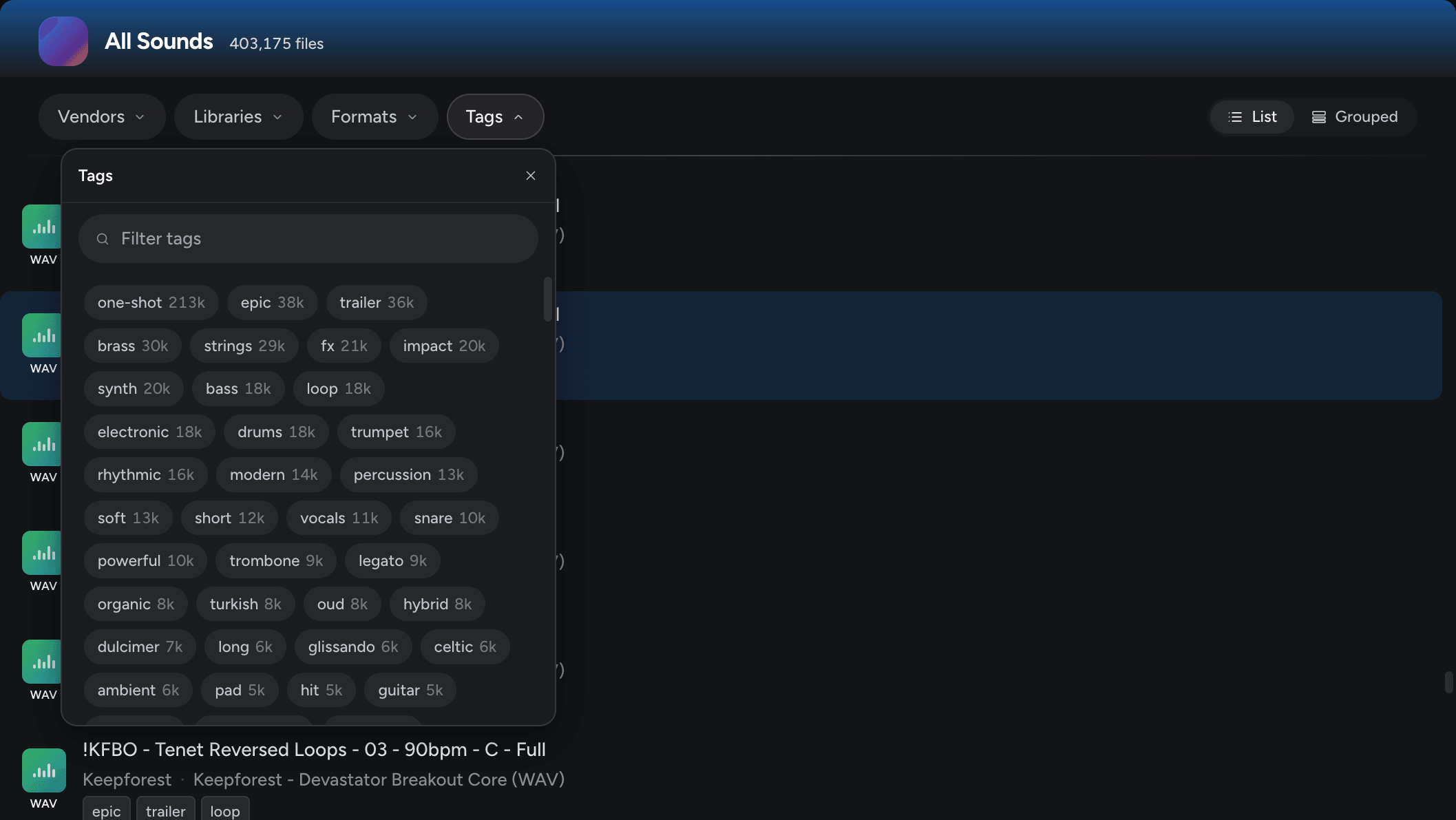
Your whole library, finally organized.
Coda tags every sample, instrument, and patch by type, vendor, and sound library as you import, and you can add your own tags. Filter and find anything in an instant.
Drag straight into your project.
Audition samples right inside Coda, then drag them straight into any DAW: Cubase, Logic Pro, Ableton Live, FL Studio, and more. No exports, no detours.
Describe the vibe.
Maestro shows you what fits.
Maestro is the chat sidekick that knows your library. Describe a vibe, a film cue, or a missing piece of your arrangement — it pulls the matching samples, instruments, and patches, and explains why.
Start free. Buy when you're ready.
Download and try the full app for 14 days. Purchase a license inside Coda when you decide to keep it.
Limited-time offer
One-Time License
Everything you need to organize and search your library. Yours forever.
- Scan unlimited samples, instruments, and patches
- Auto-tagging and instant search by type, vendor, sound library, and tags
- Starter AI tokens to explore AI search and the Maestro chat assistant
Optional add-on
Maestro
An add-on for your One-Time License. More AI tokens for power users to run Maestro chat and AI search all day.
- A large monthly pool of AI tokens
- Heavy use of Maestro chat and AI search
Download free
Install Coda and scan your real library. No card required.
Try it for 14 days
Put the full app to work on your own samples, instruments, and patches.
Buy when ready
Purchase a license inside Coda. It's tied to your account, so it follows you across machines.
Need a lab rollout or offline installer? Contact us.
Compatibility, privacy, and the details.
Audio formats
WAV, AIFF, MP3, FLAC, and REX.
Instruments & patches
Kontakt, Omnisphere, Serum, every u-he synth, and Dune 3.
System requirements
macOS on Apple Silicon, and Windows 10 or later.
Does Coda move or change my files?
No. Coda indexes your library in place. Your files stay exactly where they are, and nothing is moved, renamed, or modified.
Is my audio sent to the cloud?
No. The AI runs locally on your machine and never uploads your samples or personal data. The cloud is used only to sharpen search results, never to share your private files.
Does it work offline?
Yes. Scanning, tagging, preview, and drag-and-drop all work without a connection. Going online only improves AI search quality.
Which DAWs does it support?
Any DAW. Drag straight into Cubase, Logic Pro, Ableton Live, FL Studio, Pro Tools, and more.
Can I try it before buying?
Yes. Download free and use the full app for 14 days, no card required.
Notes from the studio.
New features, release notes, and tips for organizing your sound library.